A multi page website needs a global header menu on all the pages that can be modified from any page you are working on. Here is how to do it:
Step 1. Set up a header block with the Menu element you want.

Step 2. Transform the block in a Global block, then update the page.
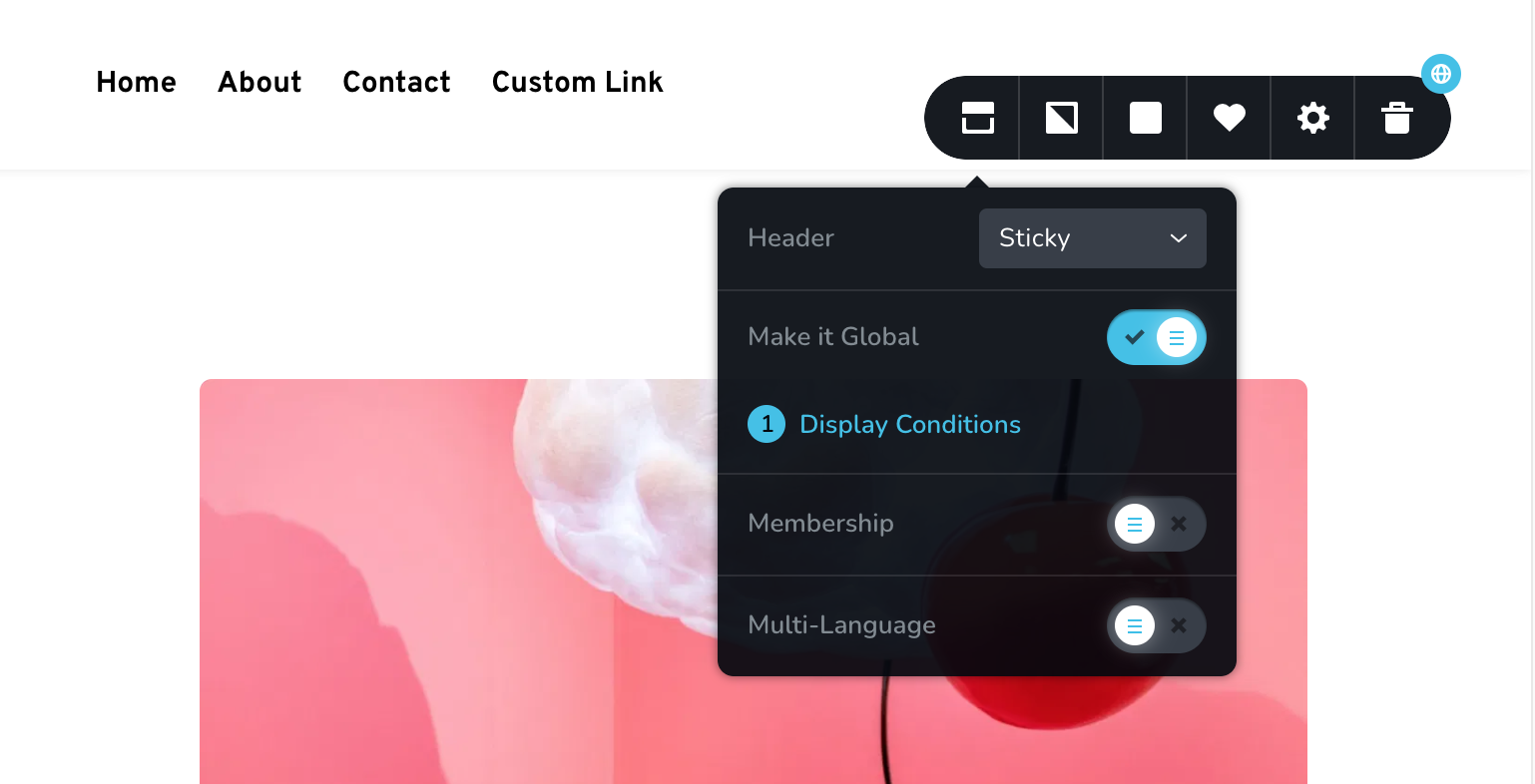
Step 3. Select where you want to display your Global Header block, in this example we have chosen ALL Pages
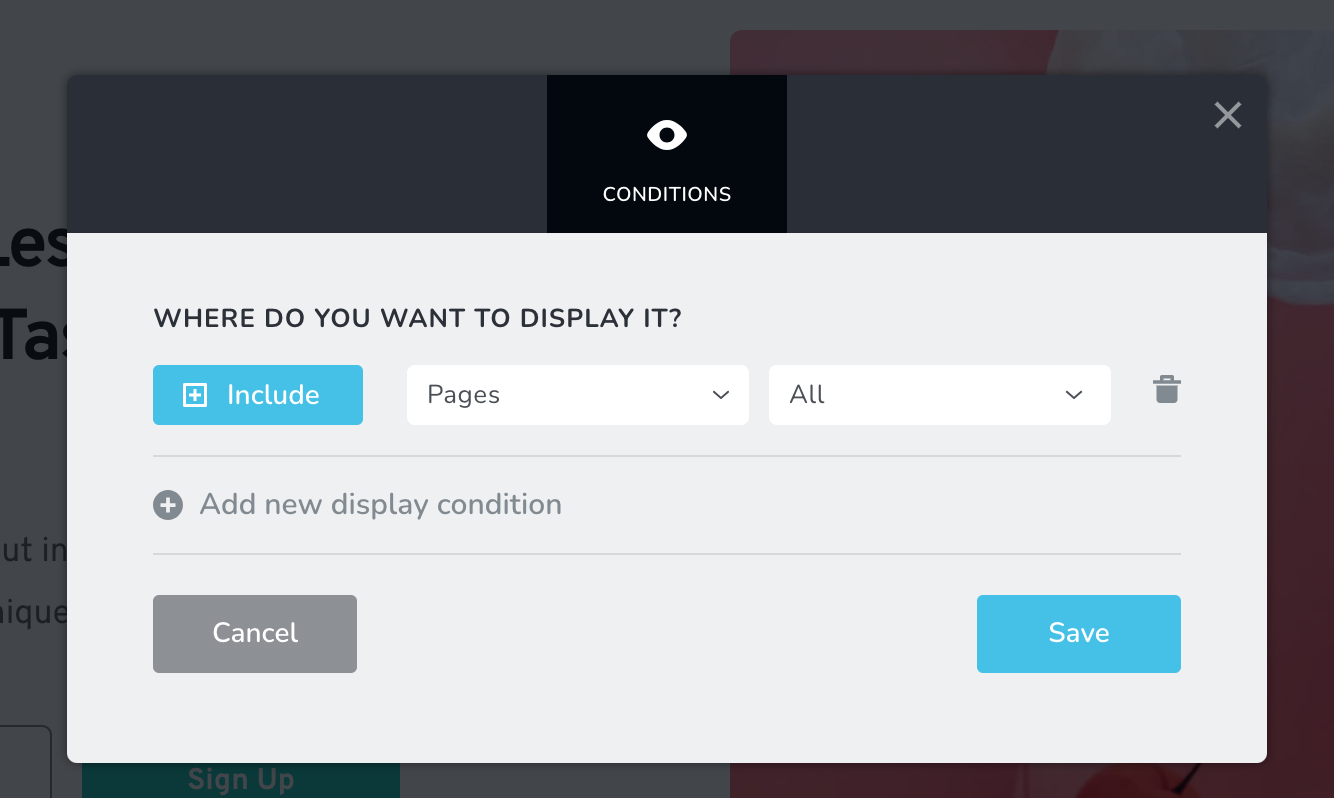
Step 4. Because we selected ALL Pages in the step above, the header block will be included in all pages, including new ones, so when you create a new page the header blocks will be visible.
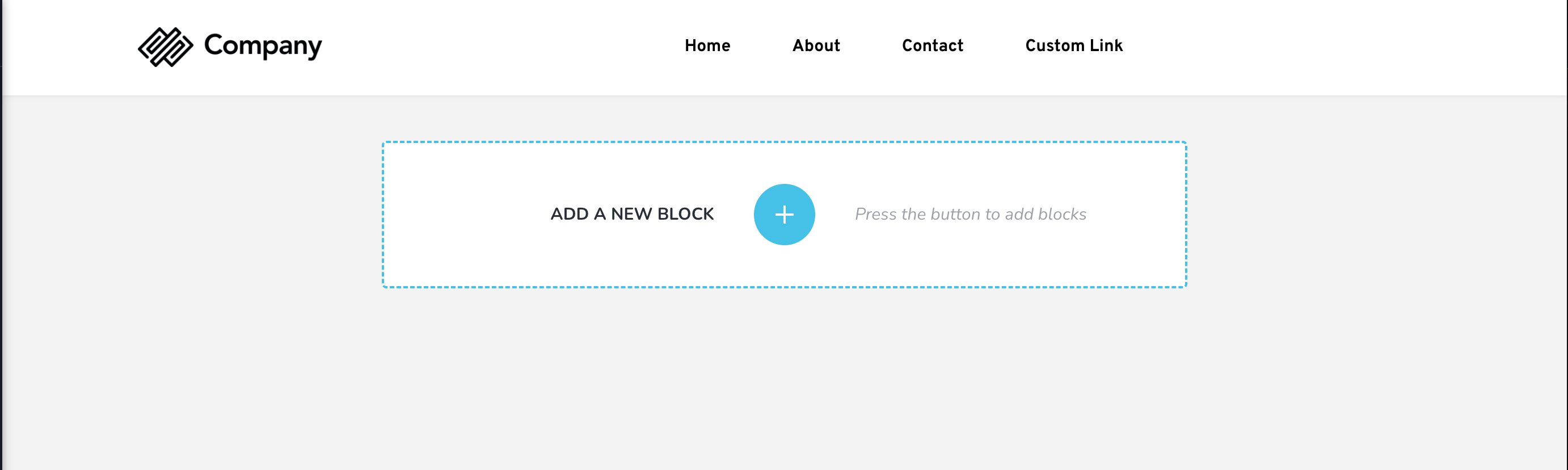
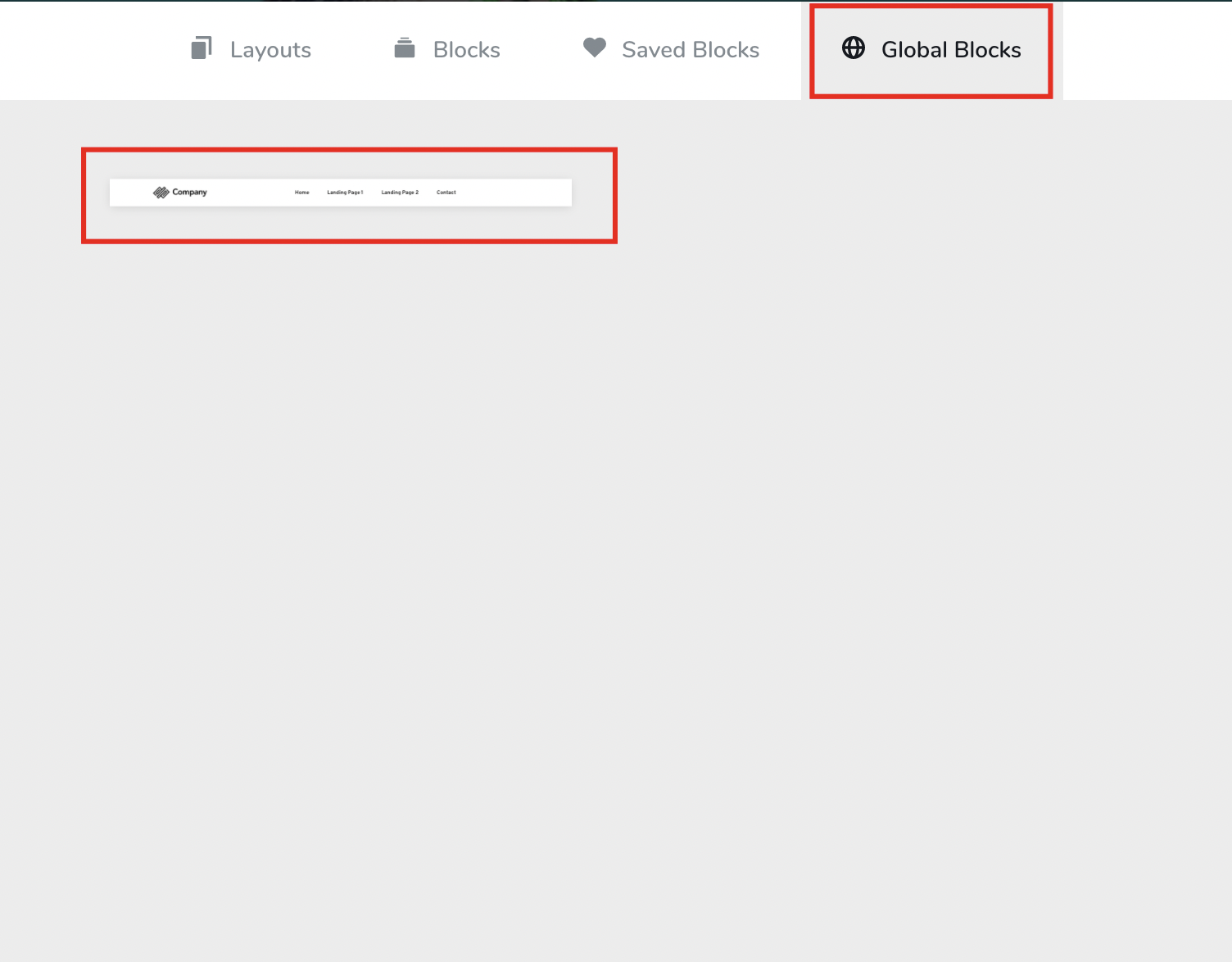
Step 5. Alternatively, if you want to add the header from the global blocks into a another page not included in the global conditions, click in Add new Block and you'll see the Global Header Block saved in the Global Blocks tab.