You can invite team members to collaborate on projects within your workspace.

How to Invite Someone:
-
Enter their email address in the Team Members section.
-
They’ll receive an invitation via email.
-
To join, they must click the link in the email and either log in or create a free Landing Pad account if they don’t already have one.
Roles:
Each user is assigned a role when invited, which determines what they can and cannot do inside the workspace.
-
Owner – Has full control over all settings, projects, and team members.
-
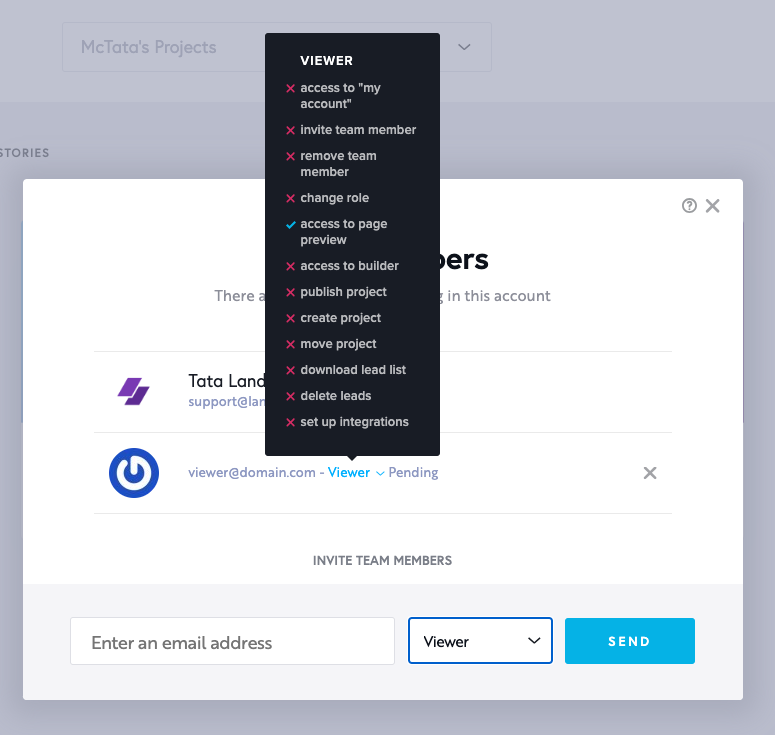
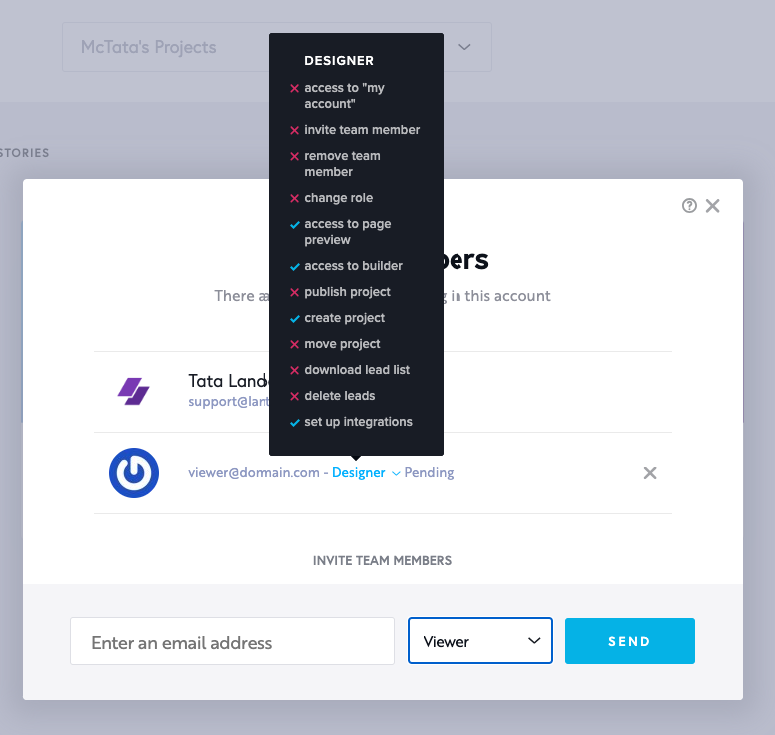
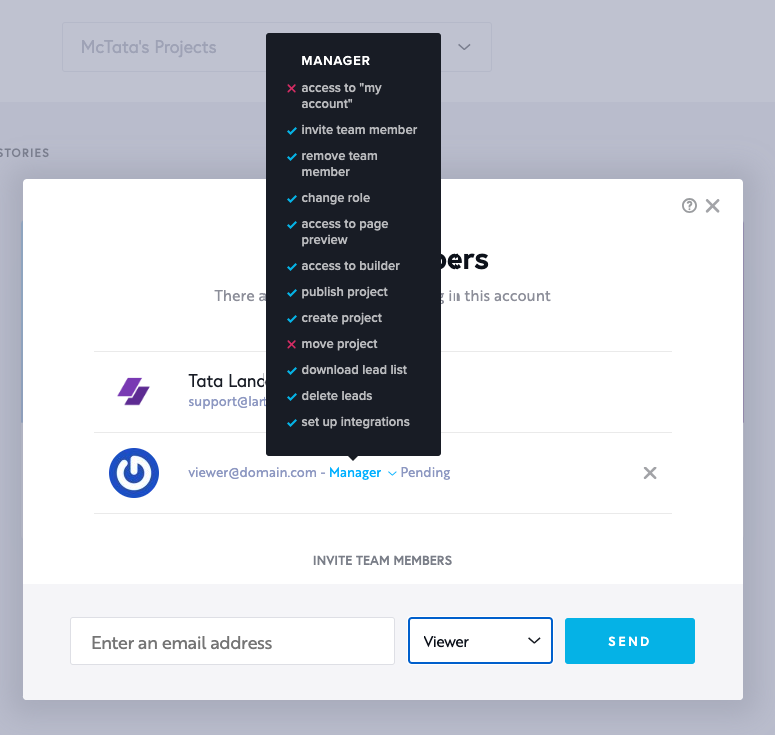
Viewer, Editor, Designer and Manager roles – Have limited access, depending on the permissions set.
Viewer
Editor

Designer
Manager
Please note: All invited team members will have access to every project in the current workspace.
If you’re managing multiple clients, we recommend creating separate workspaces for each client to keep access secure and project views isolated.
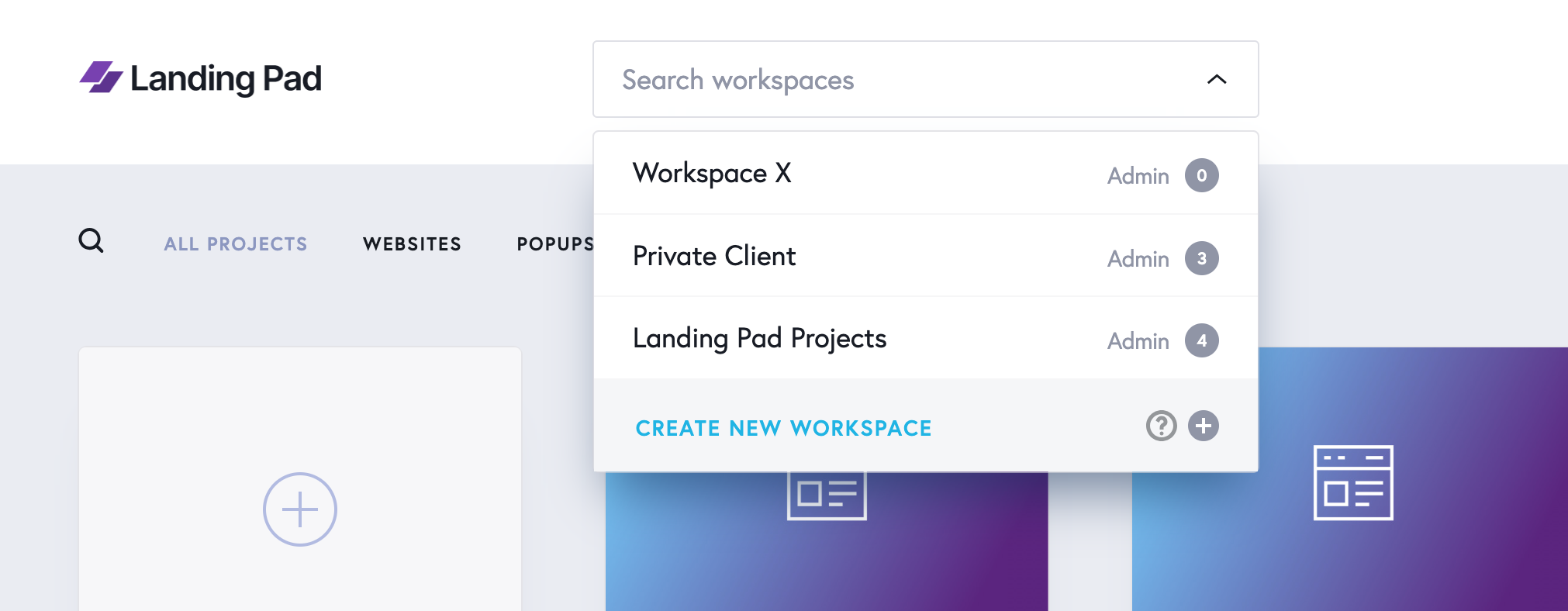
The team members functionality is included only for PRO & Premium plans. You can invite unlimited team members with Premium.